Avantgarde Fieldsales
Door-to-door sales app for field teams
Put your address list on a shared sales map. Assign stops to reps, plan the day’s route and log what happened at each door. Keep callbacks, quotes and signatures with the address.
Illustrative workday
Your working day
- Next visit 12 Example Avenue · Assigned to you
- Follow up on a quote 48 Sample Street · Follow-up due today
- Record the outcome Save the visit or capture a signature at the door
Product tour · Sample data
From an address list to a signed order
Open each step to see what the team lead and rep do during a typical day.
01 Import your list
Upload a CSV or XLSX file, match your columns and review the addresses before import.
02 Assign territories
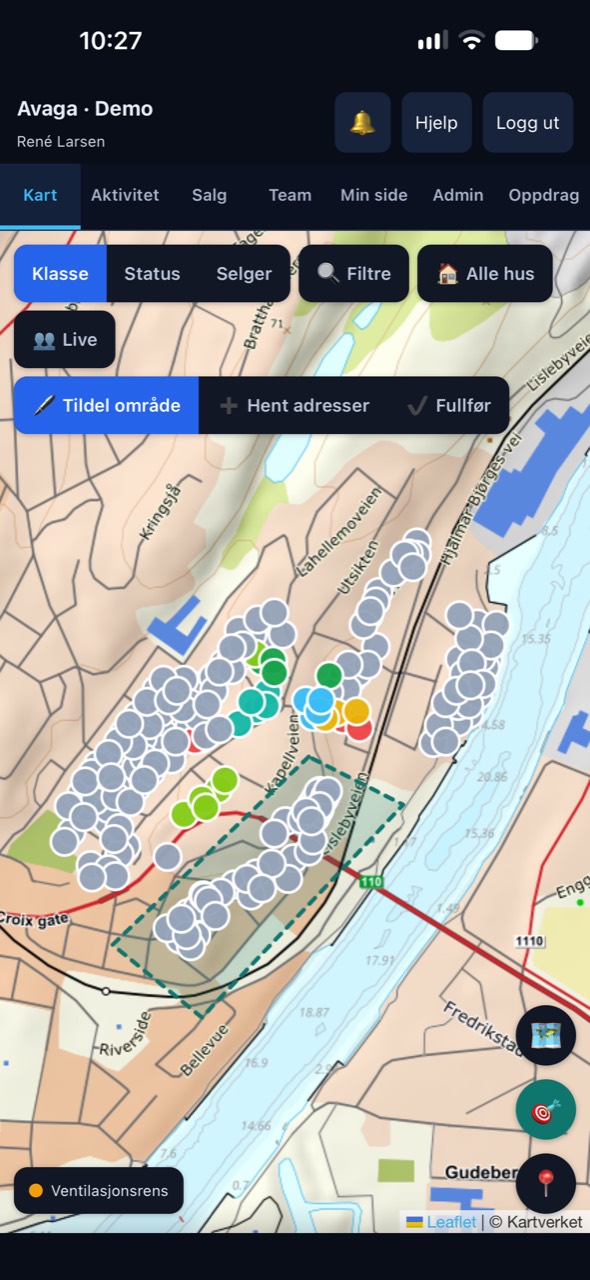
The team lead groups nearby addresses and assigns them to reps. Each rep can find their assigned addresses.
03 Plan the day
Open Today, review follow-ups and create a suggested order for selected visits. Open navigation for the next stop.
04 Log a visit
Open the address, record what happened and set a follow-up if the customer needs more time.
05 Send a quote
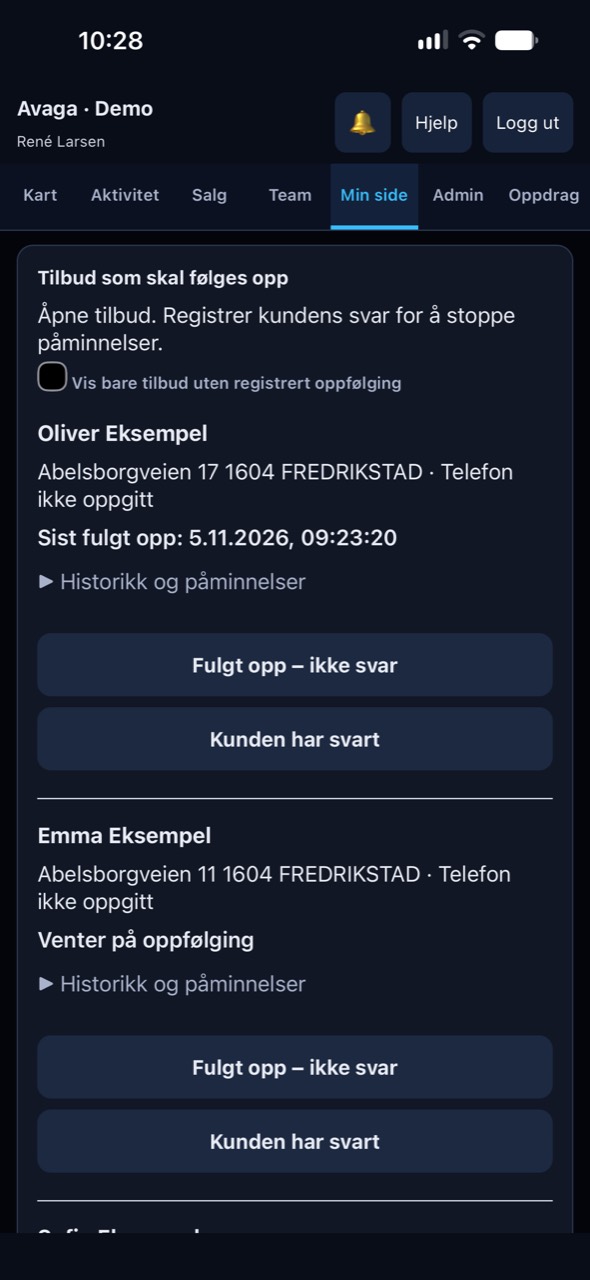
Prepare a quote using your company template and follow up from the customer record.
06 Capture the signature
When the customer is ready, capture their signature on screen and keep the order linked to the address.
Switching tools
Bring your address list with you
Export an address list from your current tool or spreadsheet. Use the US CSV template to see the columns you can map, including street, house number, city, state and ZIP code. Keep leading zeros in ZIP codes.
Include latitude and longitude for map and route planning. Addresses without coordinates can still be imported for list-based follow-up. Ask us to review your export if you need to move customer history or other records.
Download the US address template (CSV)See what reps and team leads use
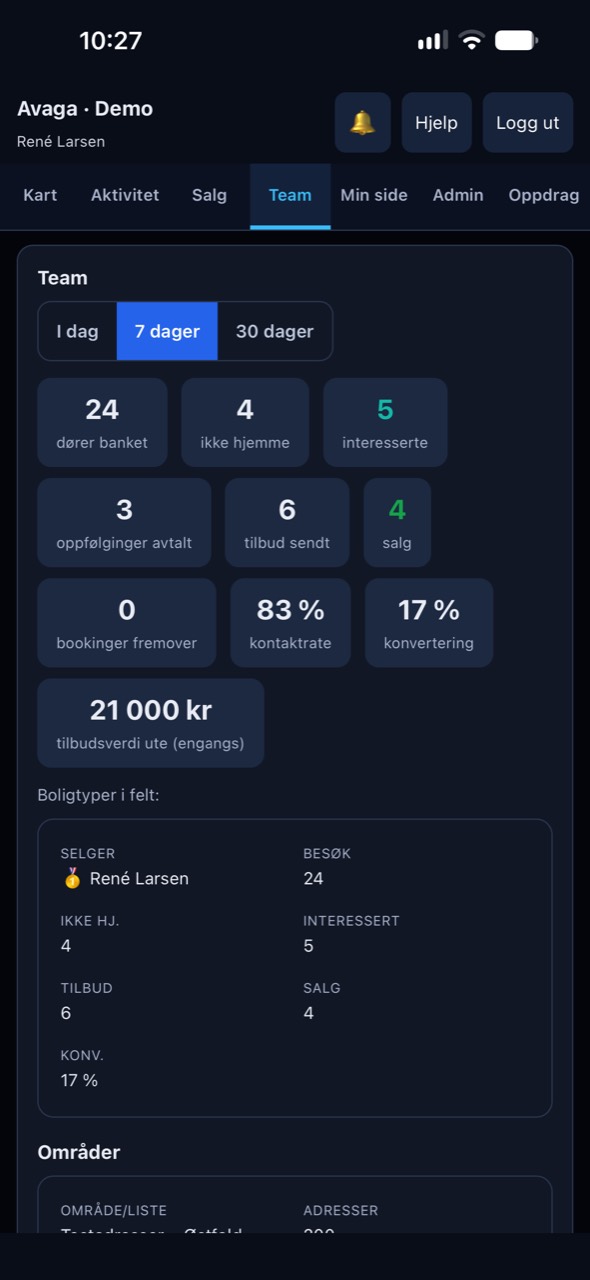
These screenshots show the Norwegian demo with sample activity. The English walkthrough above explains each step.
Download a filled example address list (CSV). It contains fictional street names and example coordinates. Use it in a test workspace to practice column mapping and route setup.
For field sales teams
Request a walkthrough for your team
Tell us where your team works and what slows reps down today. We’ll follow up by email about a walkthrough and availability in your market.
Questions from door-to-door sales teams
How do I track doors knocked and callbacks?
Open an assigned address and record the visit outcome, such as no answer, interest or a callback. Save the next action with the address so the rep can see which doors to revisit.
Can we import our own address list?
Yes. Start with your own spreadsheet or CSV. Include latitude and longitude for map and route planning. Addresses without coordinates are available for list-based follow-up. Read the guide to planning a field sales route from a spreadsheet.
How do we map sales territories and plan routes for reps?
Team leads can assign addresses to reps. Reps can plan a route from their assigned addresses and log each visit against the address.
Can a customer sign at the door?
The product tour shows how a rep can record a visit, prepare a quote and capture a signature. Ask about the workflow and availability in your market.
How can we evaluate it alongside SalesRabbit?
Try the same list and workflow in both tools. Use our SalesRabbit evaluation checklist.